Review your workspace from Home
See this month's calls, messages, and appointments, the follow-ups that still need a person, and your next bookings from the Apantio AI Home page.
The Home page is the daily operating view for your workspace. It brings together recent calls, follow-up tasks, upcoming appointments, and high-level activity so your team can decide what to handle next.
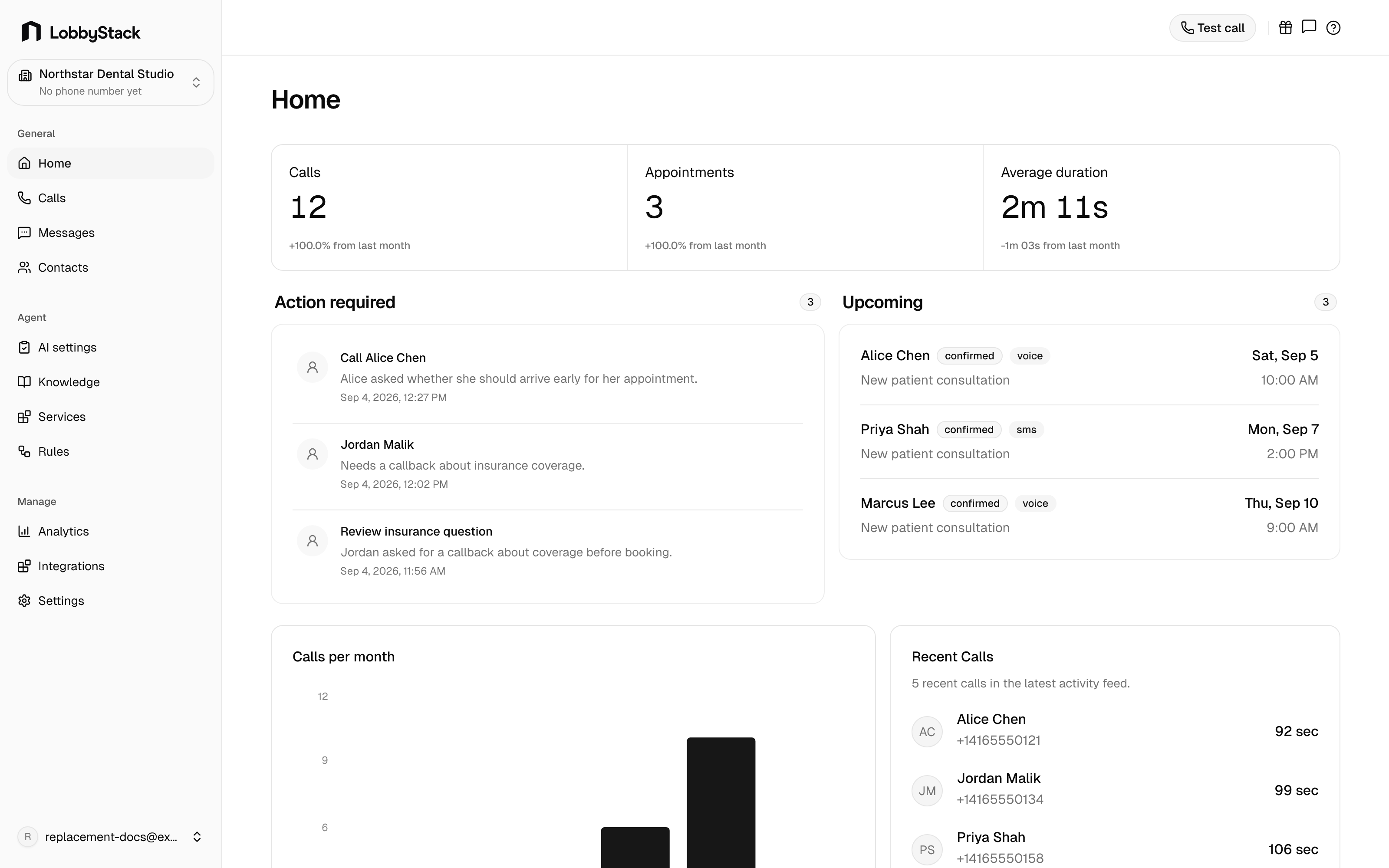
_Use Home at the start of a shift to see what needs attention before opening individual calls or messages._
What home shows
| Section | What it is for | | --- | --- | | KPIs | Monthly counts for calls, messages, appointments, and contacts. | | Action required | Follow-up tasks that still need a human response, such as callbacks or handoff requests. | | Upcoming | The next booked appointments on the calendar. | | Calls per month | A monthly call-volume chart based on saved call records. | | Recent calls | The latest inbound call activity with caller, timing, and outcome details. |
Review follow-ups
Open Home
In the dashboard sidebar, go to General > Home.
Check Action required
Review callbacks, human handoff requests, and other follow-up items.
Open the related call
Select the item or open the related call from Calls to review the transcript, recording, and details.
Complete the task
After your team follows up, mark the task done from the call detail page.
Use home at the start of a shift
Start with Action required, then check Upcoming appointments, then scan Recent calls for anything unusual. This keeps the team focused on customers who need a response instead of making them search through every call and message.