Manage customer conversations
Review SMS and website chat conversations, send replies, and control AI handoff for website chat.
The Messages page combines SMS and website chat for the active business. Operators can review inbound and outbound messages, search conversations, send replies, and control AI handoff for website chat.
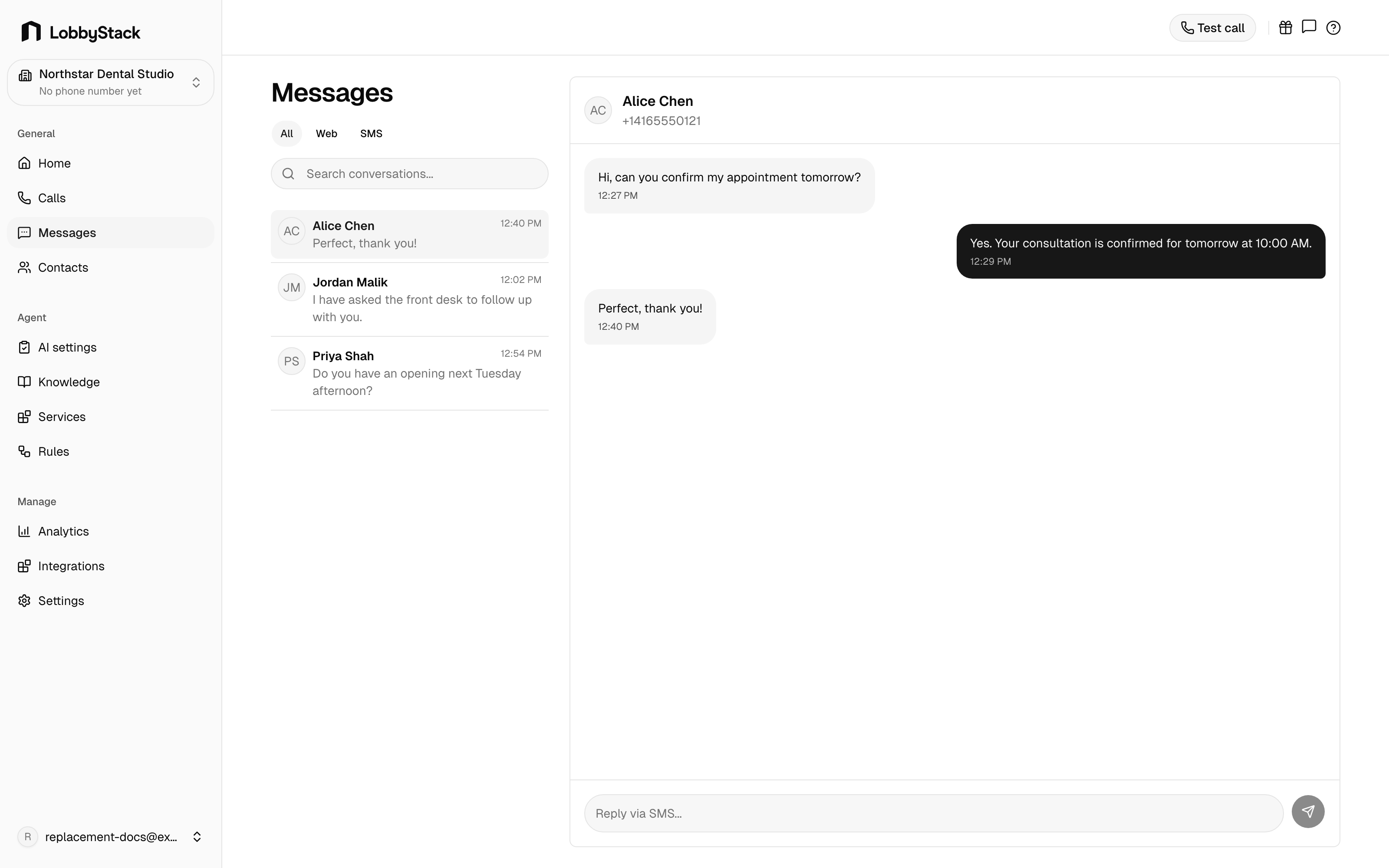
_Use Messages to review SMS and website chat, reply to customers, and control website chat handoff._
Find a conversation
The left panel shows conversations and their latest activity. Filter the list by All, Web, or SMS.
Each item shows:
- The contact, visitor, phone number, or email address.
- The latest message preview.
- The latest activity time.
- A web chat marker when the conversation came from the widget.
Use search to find conversations by contact details or the latest message.
Review a conversation
Open a conversation to see its message timeline. The thread shows inbound customer messages, outbound AI or operator messages, and the time for each message.
Send a reply
Open a conversation
Select an SMS or website chat conversation from the list.
Write your reply
Use the composer at the bottom of the thread.
Send the message
Click Send.
Take over or resume AI
Website chat threads show their current automation state in the header. Click Take over when an operator should handle the conversation. Click Resume AI when the website assistant should respond again.
SMS threads do not show the AI handoff control. Replies from this page are manual.